Have you seen the trending zombie love story videos on Instagram and YouTube? These videos combine romance, zombies, cinematic visuals, and emotional storytelling to create unique AI-generated content. If you also want to create a realistic zombie love story video using AI, this guide will help you get started. In this article, you will learn how to create a Zombie Love Story Video with AI, generate cinematic scenes, and turn your creative ideas into an engaging video. You do not need professional video editing skills to follow this process.
What Is a Zombie Love Story AI Video?
A Zombie Love Story AI Video is a creative video made with artificial intelligence that tells a romantic story between two characters in a zombie-themed world. It can feature emotional moments, dramatic expressions, abandoned cities, dark environments, and cinematic scenes.
You can create different types of zombie love stories, such as a human falling in love with a zombie, a romantic story between two zombies, or a couple trying to survive a zombie apocalypse together.
These videos are perfect for Instagram Reels, YouTube Shorts, Facebook Reels, and other short-video platforms.
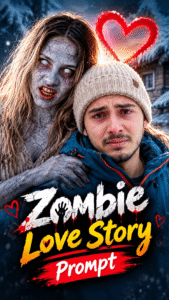
How to Create a Zombie Love Story Video with AI
Follow these simple steps to create your own AI zombie love story video.
Step 1: Choose Your Story Idea
First, decide what kind of zombie love story you want to create. You can make an emotional love story, a romantic meeting between two zombies, or a cinematic story about a couple surviving in a zombie world.
Step 2: Generate AI Images
Use an AI image generator to create your characters and scenes. Write a detailed prompt describing the characters, their outfits, facial expressions, background, lighting, and overall atmosphere.
For better results, keep the characters’ appearance consistent across all scenes.
Step 3: Convert Images into Videos
After generating your images, use an AI video generator to animate them. Add movements such as walking, looking at each other, holding hands, or slowly approaching one another.
Choose cinematic camera movements and realistic expressions to make your story more engaging.
Step 4: Add Music and Sound Effects
Add emotional background music, cinematic sound effects, and suitable transitions to enhance the storytelling. You can also include dialogue or a voiceover to make the video more interesting.
Step 5: Edit and Export Your Video
Finally, combine all your clips in a video editing app. Adjust the timing, add captions if needed, and export your video in a vertical 9:16 format for Instagram Reels and YouTube Shorts.
Best Zombie Love Story AI Video Prompt
You can use the following prompt as inspiration for generating a cinematic zombie romance scene with an AI image or video generator.
AI Prompt:
@image1 = man @image2 = women Seedance 2.5 prompt: A 21-second photoreal cinematic short film told in exactly 15 shots joined by hard cuts at the timings below. Live-action look, 35mm anamorphic lens, shallow depth of field, soft natural film grain, realistic skin, realistic physics. Only two people exist in this film. No text, no titles, no subtitles, no dialogue, no lip movement as speech. THE MAN = the man in reference @image1. Keep his exact face, same color eyes, eyebrows, nose, and light stubble exactly as in his photos. Short dark hair mostly hidden under a beanie. THE MAN'S WARDROBE, identical in all 15 shots: beige knit beanie, petrol-blue winter parka with orange zippers, black gloves, black pants, dark winter boots. THE WOMAN = the woman in reference @image2. Keep her exact face, same color eyes, eyebrows, nose, lips, and her shoulder-length blonde-brown hair with darker roots. ZOMBIE LOOK (shots 2, 4, 7, 8 only): the same woman with the same face shape and hair length, but pale grey-blue cracked skin, dark veins around the eyes, milky white eyes without pupils, parted lips showing teeth, tangled messy hair, a torn dirty beige dress, barefoot. Her face must still be clearly recognizable as reference image 3. MEMORY LOOK (shots 9 to 15 only): the same woman, healthy, warm glowing skin, natural [eye color] eyes, soft makeup, wearing a white shearling coat, black pants and fur-trimmed boots. THE CABIN: an abandoned snowed-in stone-and-timber mountain cabin. Cold blue-grey winter daylight, fine snowflakes drifting slowly in the air even indoors. The main room has a back wall of large white multi-pane windows glowing with snow light, an old pale-grey wooden cupboard on the left, a rough wooden table and chairs, log ceiling beams. At the far end, through a stone archway on the right, is the KITCHEN: warm wooden cabinets and open shelves full of jars, a white enamel stove, a tall white fridge, worn tile floor. THE SLOPE: an open snowy mountain slope at golden hour. Deep powder snow, dry twigs poking through, a low orange sun close to the horizon producing warm backlight and lens flare, bare winter trees, layered mountain ridges in the distance. Warm, dreamlike, joyful. Camera: side profile at chest height, medium-wide, the two bodies occupying the same area of the frame, same lens, same distance, same size in frame in both shots. THE MAN stands at frame center facing screen right, arms open. THE WOMAN has leapt onto him from screen right: her arms locked around his neck, her chest against his chest, her body horizontal in the air, her legs extended and trailing to screen right, her hair swinging forward past his shoulder. His weight tips backward, his rear foot lifts, and both bodies tilt together toward the bottom-left of frame. Same speed, same motion blur, same body angle in both shots. Only three things differ between shot 8 and shot 9: the location (CABIN vs SLOPE), the light (cold blue vs golden backlight), and the woman's look (ZOMBIE LOOK vs MEMORY LOOK). Everything physical is identical. Every shot starts with a clean hard cut, no dissolves, no fades, no slow zooms unless written. SPEED: Part One (shots 1 to 8) plays at normal real-time speed, with shots 7 and 8 fast and violent. Part Two (shots 9 to 15) plays entirely in graceful slow motion, about half speed, dreamlike, and the slow motion begins exactly at the cut into shot 9. No speed changes inside a single shot. Do not merge two shots into one. Keep the man's and the woman's identity, wardrobe and the location details identical whenever the same location or framing returns. Screen direction is fixed: in shots 7, 8 and 9 the woman travels from screen right toward screen left. Shot 1 (0.0 to 1.3 s). THE CABIN. Tight close-up on THE MAN's face. A black handgun muzzle sits out of focus in the bottom-left foreground, pointed at the camera. His eyes are red and brimming with tears that have not fallen yet, jaw tight. Camera static with a faint handheld breath. Shot 2 (1.3 to 2.5 s). THE CABIN, over-the-shoulder from behind THE MAN. His dark sleeve and the handgun fill the left foreground, aimed across the room into the KITCHEN. THE WOMAN in ZOMBIE LOOK stands between the white stove and the white fridge, arms hanging limp, head slightly dropped, and takes one slow heavy step toward him. Camera static. Shot 3 (2.5 to 4.2 s). THE CABIN. Tighter close-up on THE MAN than shot 1, camera a little lower. The gun is now out of focus in the bottom-right foreground and trembling. Tears stream down both cheeks, his lower lip quivers, he tries to keep aiming. Camera static. Shot 4 (4.2 to 5.7 s). THE CABIN, KITCHEN. Close-up on THE WOMAN in ZOMBIE LOOK, shelves with jars softly blurred behind her. Milky white eyes locked straight at the camera, lips pulled back over her teeth, breathing heavily, head tilting slowly from side to side, hungry. Camera static. Shot 5 (5.7 to 7.2 s). THE CABIN. Same close-up framing as shot 3 on THE MAN. He slowly lowers the gun down and out of the bottom of frame, one last tear falls, and he closes his eyes and holds them closed. Camera static. Shot 6 (7.2 to 8.4 s). THE CABIN, main room. Medium-wide frontal shot, THE MAN centered, the bright multi-pane windows behind him, the grey cupboard at frame left, chairs around him. He lets the gun drop from his right hand to the wooden floor, then spreads both arms wide, palms open, eyes closed, surrendering. Camera static. Shot 7 (8.4 to 9.4 s). THE CABIN, same over-the-shoulder angle as shot 2. THE MAN's open right arm at frame right. THE WOMAN in ZOMBIE LOOK sprints out of the KITCHEN straight at the camera and at him, hair flying, arms flailing, moving from screen right toward screen left, and in the last frames she leaps at him with her arms raised. Slight motion blur. Shot 8 (9.4 to 9.8 s). THE CABIN, THE LEAP exactly as defined, the multi-pane windows behind them. THE WOMAN in ZOMBIE LOOK is locked around THE MAN in mid-air, legs trailing to screen right, and both bodies tip toward the bottom-left of frame. The shot ends mid-fall, before they touch the floor, frozen in THE LEAP pose. — PART TWO, THE MEMORY, 9.8 to 21.0 seconds. MATCH CUT: the same fall continues, years earlier. Mood: warmth, joy, tenderness. EVERYTHING IN PART TWO IS SLOW MOTION: the fall into the snow is slow, the burst of snow hangs in the air, her laugh unfolds slowly, hair and snowflakes float, the run is slow motion, the embrace and the kiss are slow and lingering. — Shot 9 (9.8 to 10.5 s). THE SLOPE, THE LEAP exactly as defined, same camera, same framing, same body angle as the last frame of shot 8. The first frame of this shot matches the last frame of shot 8 pose for pose: THE WOMAN, now in MEMORY LOOK, is locked around THE MAN in mid-air, legs trailing to screen right, both bodies tipping toward the bottom-left of frame. The fall then continues without a pause but now in slow motion: they sink backward into deep powder snow, she lands on top of him, his boots kick up at screen right, a burst of snow hangs in the golden light, both laughing. Camera static. Shot 10 (10.5 to 12.3 s). THE SLOPE, very low angle at snow level, the sun directly behind them creating strong backlight and lens flare. They lie in the snow, she on top of him hugging him, heads close together, near silhouette. Nothing moves except drifting snow. Camera static. Shot 11 (12.3 to 14.6 s). THE SLOPE. Close-up of THE WOMAN's face in MEMORY LOOK resting on THE MAN's chest, his petrol-blue parka and an orange zipper visible at the bottom right of frame. His bare hand cups her left cheek. Her eyes are closed, her smile grows very slowly into a laugh showing her teeth, in slow motion. Snowflakes drift slowly through her hair, golden light on her skin. Camera static. Shot 12 (14.6 to 15.9 s). THE SLOPE. Close-up of THE MAN lying in the snow, beanie on, eyes closed, a peaceful smile, snow crystals caught in his [stubble / beard / cheeks], the top of her head at the bottom of frame. Camera static. Shot 13 (15.9 to 18.2 s). THE SLOPE, camera behind them tracking forward. THE MAN and THE WOMAN in MEMORY LOOK run hand in hand in slow motion through deep snow away from camera toward the setting sun over the hills, snow floating up behind their boots, her hair lifting slowly, long shadows. Shot 14 (18.2 to 19.7 s). THE SLOPE, wide shot. The two of them embrace on a hilltop, the large low sun centered on the horizon behind them, a bare tree at frame left, mountain ridges behind, long shadows toward camera. Camera static. Shot 15 (19.7 to 21.0 s). THE SLOPE. Close-up from behind THE WOMAN's head and shoulder. THE MAN slowly kisses her forehead with his eyes closed, slow motion, the orange sunset sky glowing behind them. Camera static. End on this frame. – AUDIO – No dialogue, no music, no voice. Cabin: cold wind, his shaky breathing, one low zombie snarl at the very start, the gun clattering on wood in shot 6, fast footsteps in shot 7. Memory: soft snow crunch, quiet laughter, gentle wind. – NEVER – No extra people, no blood, no gore, no bite, no text, no logos, no wardrobe changes, no camera shake beyond a faint handheld breath, no dissolves, no merged shots.
Tips for Creating Viral Zombie Love Story Videos
Use an emotional story: Give viewers a reason to connect with your characters.
Maintain character consistency: Keep the same faces, hairstyles, and outfits across different scenes.
Create cinematic visuals: Use dramatic lighting, fog, shadows, and realistic backgrounds.
Keep your video engaging: Start with a visually interesting scene to capture attention.
Choose suitable music: Emotional or suspenseful music can make your video more memorable.
Use a vertical format: A 9:16 aspect ratio is ideal for Reels and Shorts.
Conclusion
Creating a Zombie Love Story Video with AI is a fun way to explore creative storytelling. With the right prompts, AI image generators, and video generation tools, you can create emotional zombie romance scenes without advanced editing skills.
Try different story ideas, experiment with cinematic effects, and create your own unique zombie love story. You can share your finished videos on Instagram Reels, YouTube Shorts, and other social media platforms.
