Karwa Chauth is one of the most beautiful and romantic festivals celebrated by married couples in India. On this special day, women dress in traditional outfits, apply mehndi, perform puja, and look at the moon through a chalni before breaking their fast. Now, with the help of AI, you can turn your normal photos into beautiful Karwa Chauth cinematic videos.
In this article, I am going to share the Karwa Chauth AI Video Editing Prompt that you can use to create realistic and festive videos from your own photo. You do not need professional video editing skills. You only need your photo, the correct AI prompt, and an AI video generator.
What is Karwa Chauth AI Video Editing?
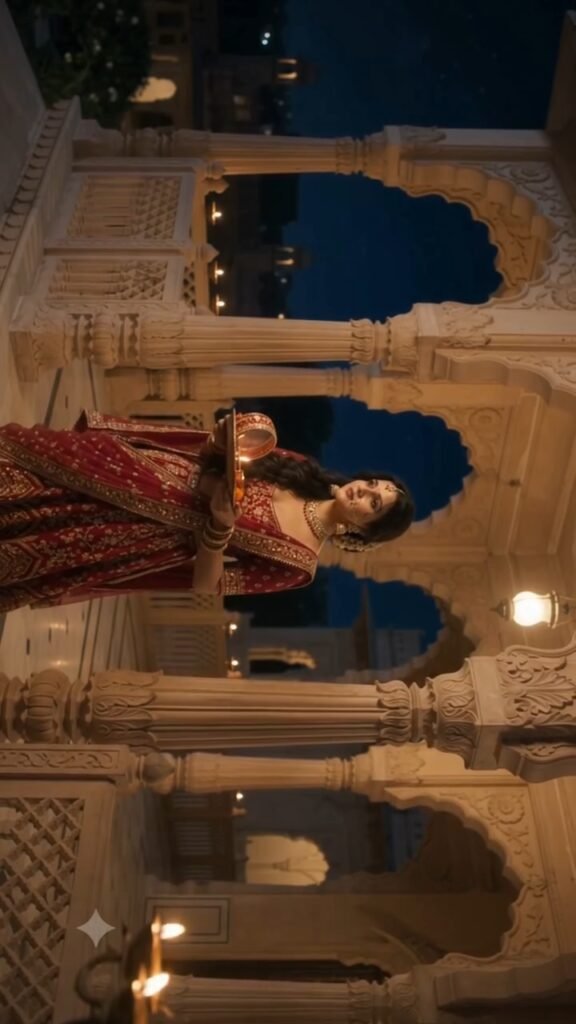
Karwa Chauth AI Video Editing is a simple method where artificial intelligence converts your photo into a realistic moving video. You can create scenes like looking at the moon through a chalni, holding a decorated puja thali, smiling with your partner, or standing on a beautifully decorated terrace.
AI can automatically add natural body movement, cinematic camera motion, glowing diyas, moonlight, moving clothes, and realistic facial expressions. This makes your normal photo look like a professionally recorded Karwa Chauth video.
How to Create Karwa Chauth AI Video
First, select a clear and high-quality photo. A full-body or half-body photo usually gives better results because the AI gets enough information about the person and outfit.
Now open your preferred AI video generator and upload your photo. After uploading the image, paste the Karwa Chauth AI video prompt into the prompt box.
The prompt should clearly describe the movement you want in the video. For example, the woman can slowly raise the chalni toward the moon, look through it, smile softly, and then look toward her husband. You can also add instructions for cinematic lighting, realistic movement, traditional Indian decorations, and smooth camera motion.
After entering the prompt, generate the video. AI may take a little time to process the image. Once the video is ready, preview it and download the best result.
Karwa Chauth AI Video Prompt
You can create different types of videos such as a woman performing Karwa Chauth puja, a romantic couple scene, moon-viewing animation, or cinematic terrace celebration.
For the best result, your prompt should include details about the outfit, facial expression, camera movement, background, moonlight, diya lighting, and natural hand movements.
Also mention that the person’s face, hairstyle, clothes, and identity should remain consistent throughout the video. This helps prevent unwanted changes during AI video generation.
Where to Get the Karwa Chauth AI Video Prompt?
If you want to use the ready-made prompt, search OSM Template on Google and open our website. Find the Karwa Chauth AI Video Editing Prompt post and copy the prompt from there.
After copying the prompt, open your AI video editing tool, upload your photo, paste the prompt, and generate your video.
Conclusion
Karwa Chauth AI Video Editing is an easy way to create beautiful festival videos without complicated editing. With one photo and a detailed AI prompt, you can create romantic, cinematic, and realistic Karwa Chauth videos for Instagram Reels, YouTube Shorts, WhatsApp Status, and other social media platforms.
