Instagram Stories are one of the best ways to share creative photos and videos with your followers. Nowadays, 360 Degree Instagram Stories are becoming popular because they give a unique and immersive look to normal photos. If you also want to create a stylish 360 Degree Story For Instagram, then you are at the right place.
In this article, we will explain how you can create a 360 Degree Instagram Story using AI photo editing prompts. With the right prompt, you can transform your normal photo into a creative 360-degree style image that looks perfect for Instagram Stories.
What Is a 360 Degree Story For Instagram?
A 360-degree story is a creative image or video concept that gives the appearance of a complete 360-degree view around the subject. Instead of showing a simple portrait, the background and environment are designed in a way that creates a wide and immersive visual effect.
This type of edit can make your Instagram Story look more cinematic, modern, and eye-catching. You can use your own photo and generate different 360-degree environments with the help of AI tools.
How To Create 360 Degree Story For Instagram
Creating a 360 Degree Instagram Story is quite simple if you have a good AI image editing tool. First, select a clear photo of yourself. A high-quality photo with a visible face and full or half body works better for AI editing.
Next, open an AI photo editing tool that supports image generation or image editing. Upload your photo and use a detailed 360 Degree Instagram Story AI Prompt.
You can describe the environment, camera angle, lighting, background, outfit, and overall cinematic look in the prompt. The AI will use these instructions to create a new image based on your original photo.
Make Your 360 Degree Story More Attractive
To make your Instagram Story more interesting, you can add a creative environment around your photo. For example, you can create a city, mountain, beach, futuristic location, luxury room, wedding setup, or cinematic landscape.
You can also change the lighting style according to your concept. Golden-hour lighting, night lighting, neon lights, studio lighting, and dramatic cinematic lighting can give completely different results.
The most important thing is to keep the main subject natural. When creating an AI edit, mention that the face and identity should remain consistent with the uploaded photo.
Use 9:16 Format For Instagram Story
Instagram Stories are designed for vertical viewing, so the 9:16 aspect ratio is the best choice. When generating your image, mention “vertical 9:16 Instagram Story format” in the prompt.
This helps the AI create a composition that fits properly on a smartphone screen. Make sure the main subject is not too close to the edges because Instagram’s interface can cover parts of the image.
Why 360 Degree AI Stories Are Trending
Creative AI edits are becoming popular on Instagram because they allow users to turn ordinary photographs into unique visual content. A 360-degree concept can make a simple photo look more professional and different from regular Instagram Stories.
These edits are especially useful for creators who regularly post Instagram Stories, Reels, AI photos, and trending photo edits.
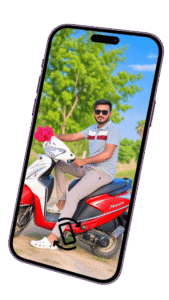
Tips For Better AI 360 Degree Photos
•Use a clear and high-quality original photo.
•Make sure your face is clearly visible.
•Use detailed prompts instead of very short prompts.
•Mention the 360-degree perspective clearly.
•Use a vertical 9:16 composition for Instagram Stories.
•Add realistic lighting and shadows.
•Keep the subject’s face and identity consistent.
•Avoid adding too many unnecessary elements.
•Generate multiple versions and choose the best result.
•Add text or music in Instagram after creating the image if needed.
Final Words
Creating a 360 Degree Story For Instagram can give your profile a fresh and creative look. With AI photo editing tools and a detailed prompt, you can transform your normal picture into an immersive 360-degree cinematic scene.
If you are interested in AI Photo Editing, Instagram Story Ideas, AI Image Prompts, and Trending AI Edits, you can try different concepts and environments to create your own unique Instagram Story. The key is to use a high-quality photo and a detailed prompt that clearly explains the camera perspective, environment, lighting, and Instagram Story format.

