AI video editing is becoming increasingly popular on social media, and one of the latest creative trends is Jatayu AI Video Editing. Many people are interested in creating realistic and cinematic videos featuring Jatayu, the legendary giant bird from Indian mythology. With the help of AI tools, you can transform your normal photo into an amazing cinematic Jatayu-style video.
If you also want to create a trending Jatayu AI video, you can use ChatGPT and AI video generation tools. You don’t need professional video editing skills to create an attractive video. Just upload your photo, use the right Jatayu AI Video Editing Prompt, and generate your video.
In this article, we will explain how to create Jatayu AI videos step by step using AI tools.
What Is Jatayu AI Video Editing?
Jatayu AI Video Editing is a creative AI trend in which users generate cinematic videos featuring the legendary bird Jatayu. Jatayu is a well-known character from the Ramayana, famous for his courage and bravery.
Using AI technology, you can create a video where a giant eagle-like bird appears beside you, flies through the sky, or creates a dramatic cinematic scene. You can also add realistic backgrounds, flying effects, dramatic lighting, and movie-style camera movements.
These AI-generated videos can look amazing when shared on Instagram Reels, YouTube Shorts, and Facebook Reels.
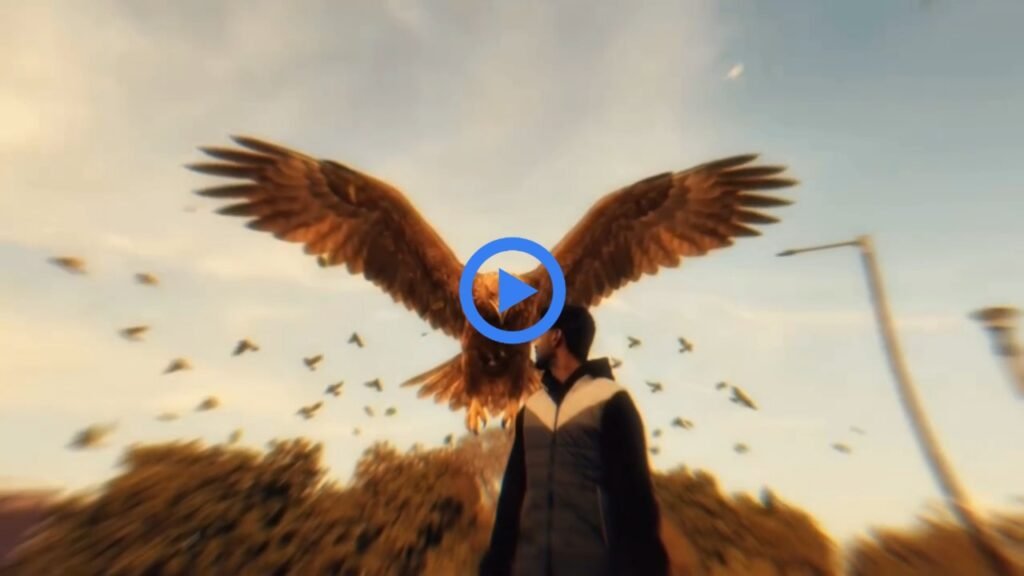
How to Create Jatayu AI Video Using AI Tools
Creating a Jatayu AI video is very simple. You just need your photo and a suitable AI video generation tool. Follow these steps to create your own video.
- First, open ChatGPT on your mobile phone.
- Upload your clear photo and use the Jatayu AI Video Editing Prompt.
- Generate an AI image according to the prompt.
- Download the generated image to your device.
- Now open an AI video generator that supports image-to-video conversion.
- Upload your generated Jatayu AI image.
- Add the video prompt and generate your cinematic video.
- Wait for the video generation process to finish.
- Download your final video and share it on social media.
By following these simple steps, you can create your own Jatayu AI video without complicated editing.
Best Features of Jatayu AI Video Editing
The Jatayu AI video trend offers several creative possibilities. You can experiment with different styles and cinematic effects to make your video more attractive.
Some popular ideas include:
- Giant Jatayu Bird: Create a huge and realistic Jatayu bird with detailed feathers and powerful wings.
- Cinematic Flying Scene: Show Jatayu flying through the sky with dramatic camera movements.
- Realistic AI Effects: Add natural lighting, realistic shadows, and detailed backgrounds.
- Mythological Background: Create a beautiful scene inspired by the Ramayana.
- Movie-Style Video: Use cinematic camera angles and dramatic visual effects.
- Instagram Reels Style: Create short vertical videos suitable for Instagram Reels and YouTube Shorts.
Best AI Tools for Jatayu AI Video Generation
You can use different AI tools to create Jatayu-style videos. ChatGPT can help you generate creative images, while AI video generation platforms can turn those images into moving videos.
For better results, choose an AI video tool that supports image-to-video generation. Upload a high-quality image and provide clear instructions about the movement of Jatayu, camera angles, and background effects.
You can experiment with different AI tools to find the video style you like most.
Tips to Make Your Jatayu AI Video More Realistic
If you want your Jatayu AI video to look professional, keep these important tips in mind:
- Always use a clear and high-quality photo.
- Choose a prompt with detailed descriptions.
- Use realistic bird movements and natural flying effects.
- Select cinematic lighting and a suitable background.
- Avoid adding too many unnecessary visual effects.
- Generate multiple versions to find the best result.
- Use 9:16 video dimensions for Instagram Reels and YouTube Shorts.
These tips can help you create more attractive and engaging AI videos.
How to Make Jatayu AI Videos Viral on Instagram and YouTube
After creating your Jatayu AI video, you can share it on Instagram, YouTube Shorts, and Facebook Reels. Use trending background music, attractive captions, and relevant hashtags to make your content more discoverable.
You can also create different versions of the Jatayu video with new backgrounds, camera movements, and cinematic effects. This will help you make unique content for your social media audience.
Conclusion
Jatayu AI Video Editing is a creative way to make stunning cinematic videos using artificial intelligence. With ChatGPT and an AI video generator, you can turn your ordinary photo into an impressive Jatayu-themed video.
Simply upload your photo, use the Jatayu AI Video Editing Prompt, generate your image, and convert it into a video using an image-to-video AI tool.
So, try this trending Jatayu AI Video Editing technique and create your own cinematic video to share with friends and followers on social media.
