Do you want to create a beautiful and powerful Maa Kali AI photo using your own photo or an AI image generator? With the help of AI photo editing tools, you can create stunning images of Goddess Kali with traditional jewellery, divine effects, a dramatic background, and cinematic lighting.
Trending Kali Maa AI Photo Prompts are becoming popular among people who love devotional AI art and want to create unique images for Instagram, Facebook, and other social media platforms.
In this article, you will find a powerful Kali Maa AI Photo Prompt that you can copy and use to generate a beautiful devotional image.
What Is a Kali Maa AI Photo Prompt?
A Kali Maa AI Photo Prompt is a text description that tells an AI image generator how to create an image of Goddess Kali. You can describe her traditional appearance, divine expression, ornaments, clothing, background, lighting, and artistic style.
By using a detailed prompt, you can create devotional portraits, realistic Goddess Kali images, cinematic temple scenes, and powerful spiritual artwork.
Trending Kali Maa AI Photo Prompt
Copy the following prompt and use it with a compatible AI image generator.
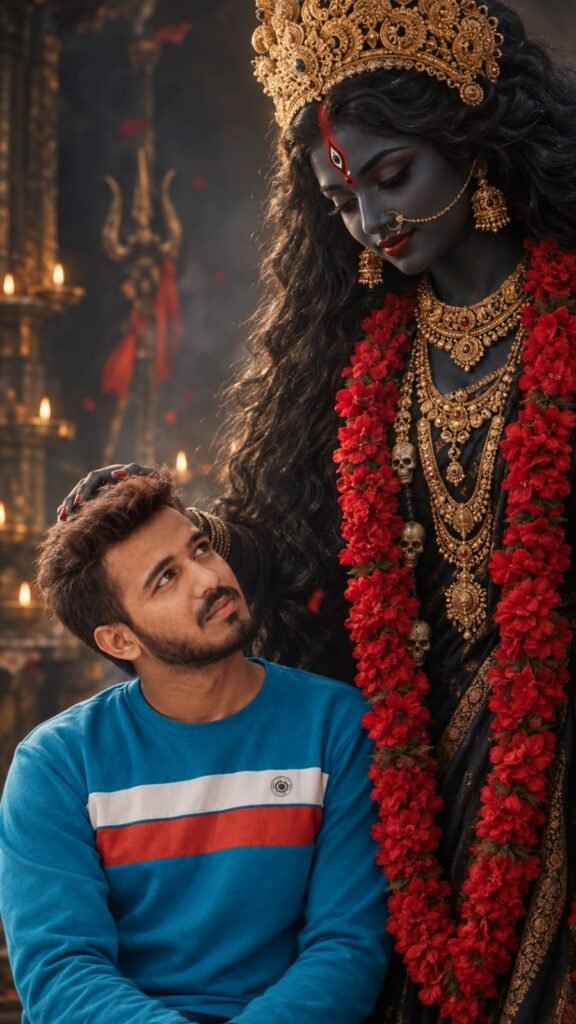
A realistic medium shot captures a young man with messy, wavy dark hair looking up with admiration and devotion toward a personified depiction of the Hindu goddess Kali. The goddess has deep dark, charcoal-toned skin, long wavy black hair, and wears an ornate, intricate golden crown and layered golden necklaces. She is draped in a dark garment adorned with long, vibrant red floral garlands that hang around her neck. The lighting is soft and moody, highlighting the contrast between the young man's light casual lavender t-shirt and the regal, dark, and divine aesthetic of the goddess. The atmosphere is serene and mystical, cinematic composition, high detail, rich textures of fabric and gold jewelry, realistic skin rendering.
GIRL IMAGE PROMPT
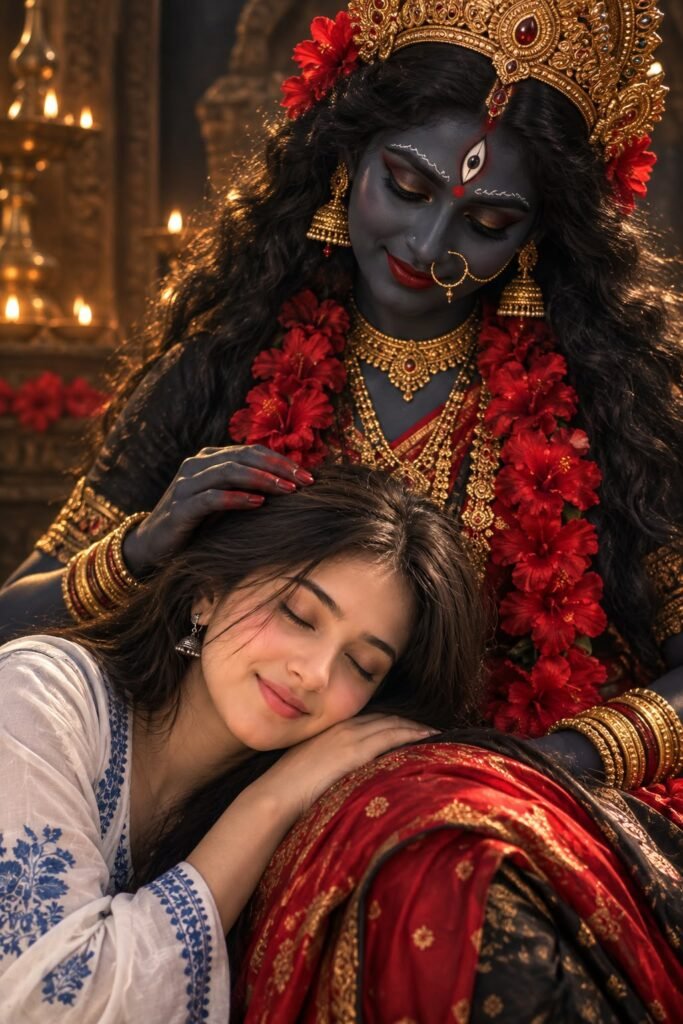
A photorealistic, emotional cinematic portrait of a young woman peacefully sleeping with his head resting on the lap of a divine figure portraying Goddess Kali The fiqure has dark skin, expressive traditional makeup, long wavy black hair and is adorned with an ornate golden crown, traditional Indian gold jewelry, and vibrant red flower garlands. The figure gently strokes the woman's hair with a tender and protective expression.
How to Create a Kali Maa AI Photo
Follow these simple steps to generate your AI image.
- Open an AI image generator such as ChatGPT or another compatible AI photo editing tool.
- Copy the Kali Maa AI Photo Prompt provided in this article.
- Paste the prompt into the prompt box.
- If you want to use your own photo as a reference, upload it if the tool supports reference images.
- Click the Generate button and wait for the image to be created.
- Save your favourite image and share it on your social media accounts.
The available features and results may vary depending on the AI tool you use.
Tips for Creating Stunning Kali Maa AI Photos
Use detailed prompts: Describe the jewellery, clothing, facial expression, and background clearly.
Choose the right lighting: Golden divine light and dramatic temple lighting can make the image more attractive.
Try different backgrounds: Experiment with temples, glowing skies, lotus flowers, and traditional devotional settings.
Select a vertical format: Use a 9:16 aspect ratio for Instagram Reels covers and mobile wallpapers when supported.
Keep the artwork respectful: Use traditional devotional elements to maintain the spiritual character of the image.
Conclusion
Creating a Trending Kali Maa AI Photo is easy with the right prompt and an AI image generator. You can experiment with different colours, traditional outfits, temple backgrounds, and divine lighting to create unique devotional artwork. Copy the Kali Maa AI Photo Prompt from this article, try it with your favourite AI tool, and create a beautiful image of Maa Kali to share with friends and family.

